July 31, 2009

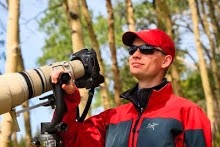
Long lens support


HERE IS THE PRODUCT

So I stumbled upon this gadget on the RRS site.

I made a nice sale yesterday and think it may be time to put the 500/4.0L IS in my arsenal. I have, over the years seen a few people shooting on home made versions of this. I just want to ask the masses if they think it has a real life benefit on the quality of images (especially with IS). If I was not so very in love with shooting slow shutter speeds I would not even consider it; but alas I am.

The image is not mine it is from the RSS page that I have linked to, all the information is there too.

Send in your thoughts.

July 27, 2009

New font may save you money

Ecofont has a new font that uses around 20% less ink/toner to print.

I never print emails; but many of my colleagues do, so I have changed my default email font to Spranq Eco Sans regular. I will also try to print simple reference things off with it as well. For the frugal ones of us we are saving money, everyone else tell yourself you are helping the environment or something like that :)

Oh I forgot the font will also will give your smily faces teeth (try it out big and you will see what I mean).

The font is free to download and use for personal use. It looks OK too.

July 26, 2009

Billings Area, July 26th


PHOTOS ONLINE

This morning seemed like a great morning to head out north of Billings and see what I could find to photograph. The lunar and solar phases were decent this AM so I figured that I would be able to get lucky. I think I did. In a few hours I was able to produce 90+ images to put online.

Take a look. I hope you enjoy.

July 25, 2009

Yellowstone, July 18th - 19th


PHOTOS & VIDEO ONLINE

This was another trip that I made because I was in the area for work. Rocky Mountain College sent me out to Virginia City again to shoot some theatre, those images can be found here.

The Yellowstone leg of the trip ended up with very few images captured. I did have a great two days with a friend of mine. Teaching photography in a great environment gave me a much needed chance to simply relax in Yellowstone. The conversations were well worth all of the miles driven.

I did not even snap one photograph of a mammal. I did see a Grizzly Bear and many Black Bears, Mule Deer, Elk, Bison, Antelope, and much more I just did not take out my camera. Very hot weather and blue sky days (except for the Sunday showers) left the wildlife activity boring and in poor light at best. I think this was also the first trip of the year where I did not see a Wolf, I did not go to areas to see them however.

I have two videos online. I would show it as one; but even after cutting it from 1080P to 720P the files were far larger than SmugMug allows (600MB max or 15 minutes). Simple footage of an Osprey spending time with its chicks. The audio was removed due to the excessive road noise. I was also forced to leave the image stabilization on because I was perched on the edge of the road. The IS makes the footage wonder a bit; but it did kill out the bad vibrations that came in as each car drove by.

Enjoy and I'll try to have more for you to look at next trip. :)

Camera Picture Profile Settings

Beat to the punch.

Outdoor Photographer, this month, ran an article about Lightroom and using camera picture profile settings. I had this same topic on my list of things to blog about. Well they saved me the time of having to write it out.

This article could of been written by me. It is my story as well, I have been playing with camera picture profile settings for a while and loving them. I have found the Landscape setting most useful (with Standard as my default).

Those of you using Lightroom should take a minute to read the article then play a bit. See what elements of your nature photography benefit from it.

The article is here.

Enjoy

July 24, 2009

Diffraction

A great essay on Luminous Landscape by Nathan Myhrvold.

The full essay is here.

The quote that really explains the flip side of diffraction limitation is:
The diffraction limited aperture for 100 megapixels / 35mm full frame size is f/4.6 , 50 megapixel is f/6.4 . There are plenty of lenses where a 50 or 100 megapixel sensor will show some benefit. Indeed most macro lenses work well open. So do many super-telephotos like 300mm f/2.8 or 600mm f/4 – they are typically used wide open where there would be no problem with a 50 to 100 megapixel sensors.

We all know that lenses are, more often than not, becoming a hindrance before the physical diffraction of light, especially with wider angles of view. Most lenses get worse as you cross f/8.0 while 21 megapixels (35mm - full frame) suffers from diffraction around f/11.

So does your crystal ball look like you will have a 21ish MP camera with your wide angle set to f/11 while you have your 200-400/4.0DO HIS (dreaming) on a 50-100MP high speed camera and you just don't stop your lens down bellow f/6.4 - f/4.6?

Also remember that the 50D already has the pixel density of a 39 megapixel (35mm) full frame camera.

The only thing we know for sure is that the future will be interesting.

July 23, 2009

Could you survive without money?

I came across a great little article by Christopher Ketcham about a man (Daniel Suelo) who has lived nearly 10 years without money. This is not a story about someone who does not have money and lives on the streets. This is a man who had money and chose to give it up after seeing what money does to people. He made a decision to live without money. He does not beg, he does not steal, he simply lives, and lives simply.

Make the jump over to the article here. It is more than worth the read. Don't fear I have no intention of trying it; but it does make you think about the things that we could all live without.

One last thing for those searching... It will, I am sure, get easier to find; but Daniel Suelo's blog is here and his website is here.

Adobe Photoshop Lightroom - "The big move"

OK, so how many of you have started using Adobe Photoshop Lightroom (LR2)?  If you have not, you should.  Most people start using Lightroom with the images saved onto their computers main hard drive, while the typical MacBookPro or iMac only has 320-500 gigabytes of storage space.  In the beginning we all think that we will have plenty of room for our images.  Then we start shooting RAW and buy amazing 21MP cameras, and all of the sudden our computer is preforming very slow, and Mac’s are not supposed to ever run slowly.  

I have been using external drives since long before the Beta of Lightroom came to the public; but I have many friends who have not.  One such friend recently had his iMac come to a halt (essentially filled the hard drive).  We then went on a search to find a way to move every image that he had in Lightroom from his iMac to a 1TB external drive without losing all the editing and organizing that was already done.

Now I know what you are thinking, it is Adobe so this should be an easy thing to do.  And I thought the same thing. I assumed that one could export the library, or move the photos and have Lightroom simply re-locate them.  Both of these will not do the trick.  We need the files moved and to still keep all of the Lightroom settings and have the file structure “Hierarchy” stay intact.  If all of your photos are in a single folder all you need to do is re-locate and then find one image (Adobe will do the rest); however if your folder”s” are organized into more than one folder (like we all do) this will not work without locating images in each folder manually (way more work than any of us have time for).  

Here is Jonathan’s report:
After weeks of searching, two weeks of adobe portal help, and three phone calls (2 Americans & 1 Indian) I have a successful method.  


What not to do: The Indian gentleman suggested moving all of the files to the external hard drive and then Re-import them. NO, NO, NO...  


As it always happens, the last call was the one that held the key to success!  A relatively easy way to move everything without losing the Hierarchy or your edits.  

The first thing that needs to be done is to make sure the entire folder hierarchy is in the “Folders” pane of LR2.  
While I had a folder hierarchy on my local mac drive, it didn't show up in folders on LR2. The reason for this is in order for the folder hierarchy to show up, at least one photo file needs to be in the top-most folder.  For me, that was the folder I named "pics".  Each Year's folder is under the folder "pics" on my local mac drive.
So, simply, I put an image (I was directed to use "ducky" in CS3 Samples because it has a bright yellow icon) into the folder "pics." So now I have a photo File called Ducky, and Folders years 2000-2009, all in my top most Folder named "pics".  I then import the file Ducky in the "pics" folder, obviously using import while leaving file in original location.  


Now, the entire folder hierarchy under "mac" HD is in the “Folders” pane in LR2 - a mirror of the hard drive.

Now, you have two options.

Note, the external hard drive (the drive you are moving to) needs to be added to the “Folders” pane in LR2 first, by simply clicking on the "+" sign and adding it.  
~ The first option is: 

In the “Folders” pane in Library section of LR2, drag and drop the folder you want moved, e.g. "pics" or any subfolder into the external hard drive located under “Folders” pane in LR2.  

This method will move all the files with the folder hierarchy intact to the external hard drive/new location.  At the same time this will delete the photo files on the local hard drive.  What we don't know is if there are additional files/photos/videos you have not imported to LR2; but exist in that folder hierarchy, will they be deleted - I doubt it; but I'm not going to gamble since LR2 doesn't even know they exist nor do I know if LR2 checks the integrity if it did move them.

~ 
The second option is the one that worked (with no fear).

Because most people export tweaked images from LR2 to another folder in the folder hierarchy.  Those exported tweaked files are never imported to LR2 - why should they be, they are JPG's/TIFF’s.  If you want to move all photos, including ones not imported, like the tweaked ones - from the local hard drive onto an external hard drive for space reasons then this is the safe way.

To make sure ALL folders/images/files are moved to the external hard drive, simply copy and paste the entire top folder (all 25K files/photos for me) on the local "mac" Hard drive to the external hard drive. Remember that you must have the entire hierarchy in LR2 so that it is maintained after the transition (see the “first thing” with questions).

Obviously, this will copy and paste all files/folders, maintaining the hierarchy as well as moving even the files not imported to LR2 - it also has the advantage that a "copy-paste" done by the computer checks the integrity of what was pasted to the original at the end of the paste. And, you guessed it, one does not delete the original files until you are sure the move and reconnection to LR2 was successful.  


Last; but not least, go back to the “folders” in LR2 and under "mac" HD, locate the “top” folder, which was copied and pasted to the external hard drive.  Right click on that folder in LR2 and choose "update folder location..."  

Choose the new location on your external hard drive, and the “top” folder in LR2 is now located under the external drive in LR2 folders and all photos/files are linked.  
--
This method obviously works for many applications, including moving between external hard drives (1TB to a 4TB in a year or two).  

Adobe does encourage one other thing, one should "save metadata to File" for all photos to create sidecars - not completely sure of the reasoning to this, but they suggest it...

There you go, Jonathan wrote this partially because he thought I would like to know and partially because he wanted a way of preserving the information.  Jonathan is not only a talented photographer and good friend; but he is also a gifted medical professional (MD).  He wanted me to share this with as many people as possible, so it goes onto my blog and wherever else I can find for it in the future.  His hope is that this will be helpful to many people who have these same issues now and in the future.  

Thanks for the information Jonathan.  If you want to check out some of Jonathan’s photos they can be viewed at http://bumpitup.smugmug.com/

Thanks for reading, and get the word out.  

Remember things change with software all of the time.  If things do not seem correct, contact Adobe and see if they have made changes.  If you find errors let us know; but we offer no warrantee to the use of this advice, nor are we available as technical support.  Sorry :)

July 22, 2009

New Canon Hybrid IS

I am sure that you have all seen this by now. I came across it late last night and was instantly glad that I have waited on trading my 300/2.8 for a 500/4.0.

I can not stop thinking about how Canon said that this fall would introduce 100 new products, and how they said that 2009 and 2010 would be the years of new lenses. Think about all the lenses that came out 10 years or so ago.

Nikon just got VR in lenses that Canon has had for quite some time. The VR is about equal to what Canon has. And now it is time for Canon's next step and that next step could be very cool.

The release is online here.

From Canon:

New Canon Hybrid IS world's first image stabilizer to compensate for two types of camera shake


Angle camera shake


Shift camera shake

TOKYO, July 22, 2009—Canon Inc. announced today the development of Hybrid Image Stabilizer (IS), the world's first* optical image stabilization technology that compensates for both angle camera shake and shift camera shake. The technology will be featured in interchangeable single lens reflex (SLR) camera lens planned for commercial release before the end of 2009.

Several different preventative methods and corrective procedures have been introduced to compensate for errors caused by camera shake, which occurs when a camera moves while its shutter is open and its image sensor is exposed to light.

Canon began researching methods to compensate for camera shake in the 1980s, and in 1995 launched the EF 75-300mm f/4-5.6 IS USM, the world's first interchangeable SLR camera lens to feature a mechanism that compensates for optical camera shake. Since then, the company has continued to produce a variety of interchangeable lenses with image stabilization capabilities, and boasts a total of 21 such lenses in its current product lineup.

Canon's newly developed Hybrid IS technology optimally compensates for angle and shift camera shake. Sudden changes in camera angle can significantly alter images taken during standard shooting, whereas shift-based shaking, which occurs when a camera moves parallel to the imaging scene, is more pronounced in macro photography and other close-range shooting.

The new Hybrid IS technology incorporates an angular velocity sensor that detects the extent of angle-based shaking and is found in all previous optical image stabilizer mechanisms, as well as a new acceleration sensor that determines the amount of shift-based camera shake. Hybrid IS also employs a newly developed algorithm that synthesizes information from the two sensors to make optimal adjustments, thereby dramatically enhancing the effects of image stabilization during shooting, including macro shooting, which had proven difficult for conventional image stabilization technologies.

Canon is actively engaged in ongoing research and development of interchangeable SLR camera lenses incorporating Hybrid IS technology, and is aiming for the early commercialization and inclusion of the lenses in a wide range of products.

* For use in interchangeable SLR camera lenses as of July 17, 2009. According to Canon research

July 9, 2009

Glacier July 2nd - 6th


PHOTOS ONLINE

I finally made a trip up to Glacier National Park. It was well worth the extra 4 hours (each way) of driving compared to Yellowstone.

I have come to the conclusion that Yellowstone is the place for wildlife while Grand Teton and Glacier are the places to go for landscapes. I really enjoyed the 5DII and my 17-40/4.0L @ f/16 for landscapes. That said I was not all that pleased with the light that I was given to work with at sunrise and sunset.

I did have a nice encounter with a Fox den just outside of the park, Mountain Goats on Logan Pass, and with a young cinnamon Black Bear near Many Glacier.

In the 5 days (3 full days / 2 partial days) I put over 70 miles on my boots, which I believe is the best way to see Glacier.

If, like me, you have been putting off Glacier because Yellowstone is so amazing (and near), do not put it off anymore.

I would like to thank everyone who gave me advice on what to do and see in Glacier. I had a big list and got to check off many items on it during this trip. Fortunately while on the trip I added many, many, more points to the list, so YES I will be going back again (soon?).

The trip list includes everything from leaving my door in Billings to returning:
American Avocets
American Kestrel
American Robin
Bighorn Sheep
Brewers Black Bird
California Gull
Chipmunk
Cliff Swallow
Common Merganser
Douglas Squirrel
Dusky Blue Grouse
Elk
Great Blue Heron
Green-winged Teal
Horned Lark
Loon
Magpie
Mallard
Marmot
Mountain Goat
Mule Deer
Northern Harrier
Northern Pintail
Osprey
Pronghorn
Raven
Red tail
Red Winged Black Bird
Sandhill Crane
Snow Shoe Hair
Sort Eared Owl
Steller's Jay
Tree Swallow
Uinta Ground Squirrel
Western Meadow Lark
White Tailed Deer
(as always there are many that did not get on the list due to my poor ID skills and or memory)

I have the photos online and would love for all of you to take a look. There are about 25 HDRM images. There are also a few panoramas (8 images into one on the big ones). As always comments in my gallery are much appreciated as are thumbs up.

Enjoy

July 1, 2009

Yellowstone, June 27th - 28th


PHOTOS ONLINE

So I simply had to make a quick trip down to the park for the Cutthroat Trout (Oncorhynchus clarki) spawning. And was hoping for a few Otters too.

I was quite happy with how day one went and almost went home after day one; but I am so glad that I stuck it out and shot a second day, as it became an even better day.

The two day list is:
American Dipper
American Kestrel
Badger
Bison
Brewers Blackbird
Brown Headed Cowbird
Cliff Swallow
Common Merganser
Coyote
Cutthroat Trout
Elk
European Starling
Grey Jay
Horned Lark
Magpie
Mallard
Marmot
Mule Deer
Osprey
Otter
Pika
Pronghorn
Raven
Red tailed hawk
Red Winged Blackbird
Robbin
Sandhill crane
Steller's Jay
Tree swallow
Uinta Ground Squirrel
Western Square-dotted Blue Butterfly
Wild turkey
Wolf (dot's)
Yellow-rumped Warbler
(Sorry for spelling errors, this list is kept on my iPod Touch)

Now if normally you don't head over to my full gallery, this is one trip that you will not want to pass by. There are some 400+ images that made the grade from this trip. Take the time to look, even if you just play it as a slideshow.

I met some great folks from all over the US, like I do most every trip, and actually did not mind the sun and warm weather (though clouds would of been nice for the Otters).

The 5DII worked great in YNP and I have some video that I will try to edit over the next few weeks and get online from this trip.

As always, thanks for looking at my photos. Please visit my recent trips gallery to see all of the photos from this trip, while you are there give a thumbs up to your favorites and feel free to leave comments there too, with 5 stars. I ask this not to have folks boost my ego, simply to help my images get more play on SmugMug. And so you can enjoy more images of YNP... Thanks.

Total trip was 429.5 miles and my Outback averaged 27.3 mpg.